How do I plan a walking route?
Planning a walking route is one of the best ways to discover new places, build confidence outdoors and tailor a walk to your own interests and abilities. Whether you’re looking for a short circular walk close to home or a full day exploring the countryside, learning how to plan a walking route will help you find quieter paths, better viewpoints and more rewarding adventures.
In this guide, we explain how to plan a walking route in five easy steps using OS Maps. You’ll learn how to choose suitable paths, check public rights of way, assess terrain, calculate distance and create a route you can follow with confidence. If you’re heading into the hills or mountains, you may also find our Hiking for Beginners Guide useful.
How to pick the right map for your walk
The first step when planning a walking route is choosing the right map. A good walking route planner should show footpaths, public rights of way, terrain and other features that can affect your route on the ground.
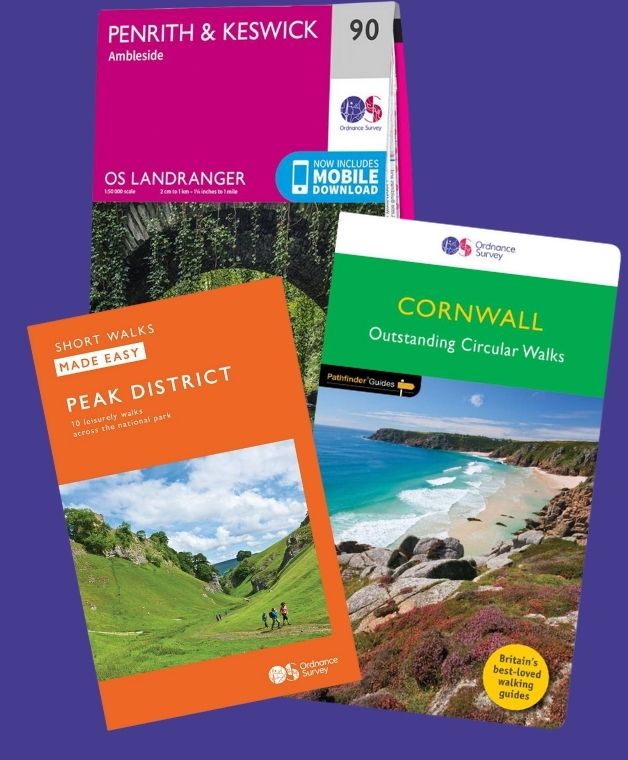
For most walks in Britain, the best maps for route planning are OS Explorer maps (1:25,000 scale). These show the greatest level of detail, including public footpaths, bridleways, field boundaries, contour lines, woodland, viewpoints and many other features that can help you plan a safe and interesting walk.
If you’re planning a longer walk, such as a National Trail, you can also use OS Landranger maps (1:50,000 scale) which cover a larger area and are useful for planning longer-distance routes.
If you’re planning an urban route, a street map can work well, although many provide limited information once you leave built-up areas and enter parks, commons or countryside. Likewise, maps designed primarily for driving often lack the detail needed for walking route planning.
One of the biggest differences between OS Maps and standard online mapping products is the visibility of public rights of way. Many online maps show roads clearly but provide limited information on footpaths and access rights. When planning countryside walks, understanding where you can legally walk is essential.
If you’re unsure about footpaths, bridleways and access rights, read our guide to Public Rights of Way: Understanding Your Access.
The best walking route planner app
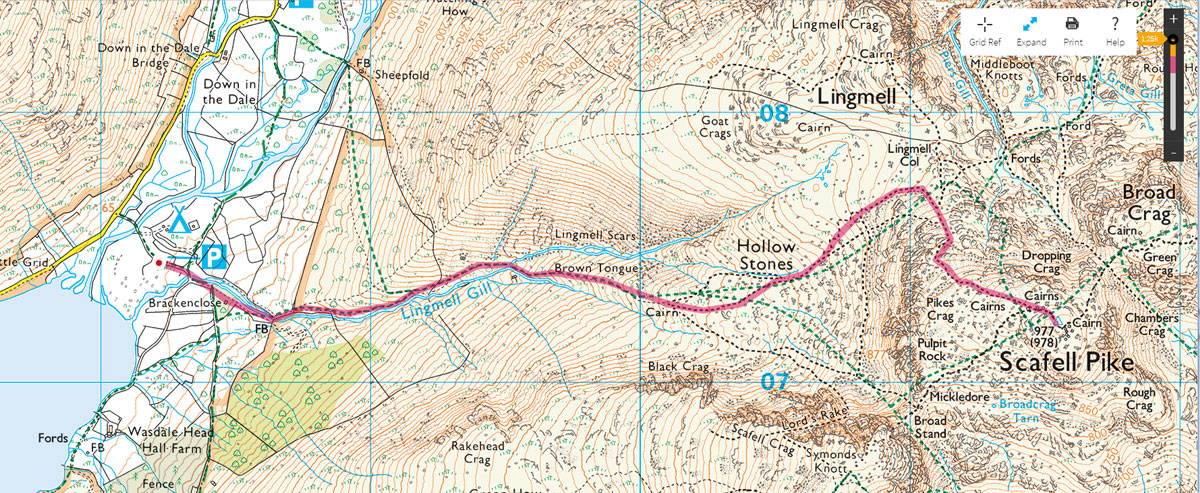
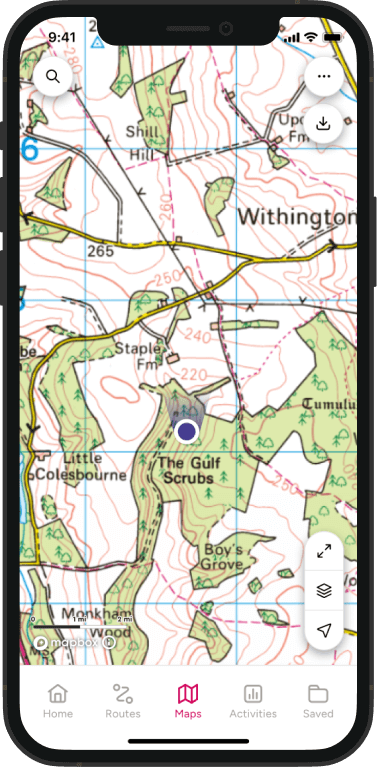
For this guide we’ll use OS Maps to plan the route, although you can use exactly the same principles with a paper map and pencil.
OS Maps combines detailed Ordnance Survey mapping with route-planning tools that allow you to:
- create and save your own walking routes
- calculate distance and elevation gain
- check terrain using contour lines
- follow public rights of way
- share routes with others
- export routes as GPX files for GPS devices and watches
OS Maps is great for planning a short local circular walk or a full-day hike, having access to detailed mapping makes it much easier to choose suitable paths, avoid access issues and assess how challenging a route will be before you set off.
Decide on your route start point, distance and access
Before you start plotting a route, decide where you’ll begin, how far you want to walk and how you’ll get there.
Most walks start from home, a car park, a railway station or a bus stop. Circular walks are often the easiest to plan because you return to your starting point, while linear routes require transport at both ends.
How long will the walk take?
As a rough guide, most people walk at around 5 km/h (3 mph) on good paths and level terrain. However, distance is only part of the story. Hills, rough ground, gates, stiles, navigation stops and rest breaks can all add time to a walk.
When planning your route, consider:
- The experience of everyone in the group
- Available daylight
- Terrain and elevation gain
- Transport and parking
- Access to public rights of way
For hilly or mountainous routes, it’s worth estimating your walking time before you head out. Distance alone rarely tells the whole story, and factors such as ascent, terrain and path quality can have a big impact on how long a walk takes.
Our guide to Naismith’s Rule and Scarf’s Method explains how to calculate more realistic walking times using both distance and elevation gain. It also shows how to customise walking speed settings in OS Maps so route duration estimates better reflect your own pace and experience.
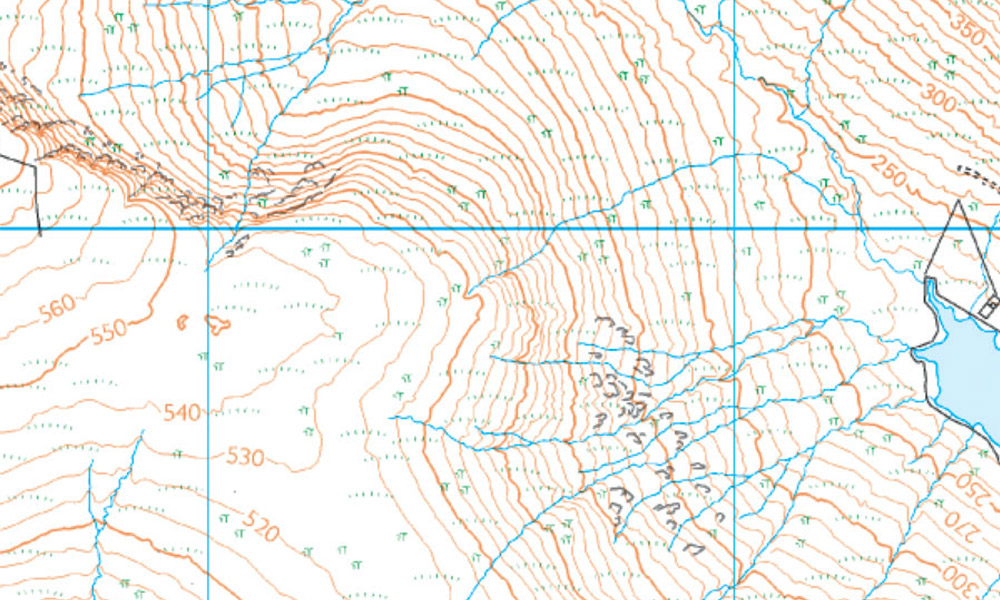
Contour lines are one of the most useful tools for understanding terrain. Closely spaced contours indicate steep ground, while wider spacing usually suggests gentler gradients. If you’re new to reading contours, our guide to Understanding Map Contour Lines for Beginners explains how to interpret them.
Check access before you finalise your route
In England and Wales, most countryside walks rely on public rights of way, including footpaths, bridleways and byways. These are clearly shown on OS Explorer maps and within OS Maps.
This is one of the major advantages of planning walks using Ordnance Survey mapping. Many online maps show paths, but don’t always make it clear whether public access is permitted.
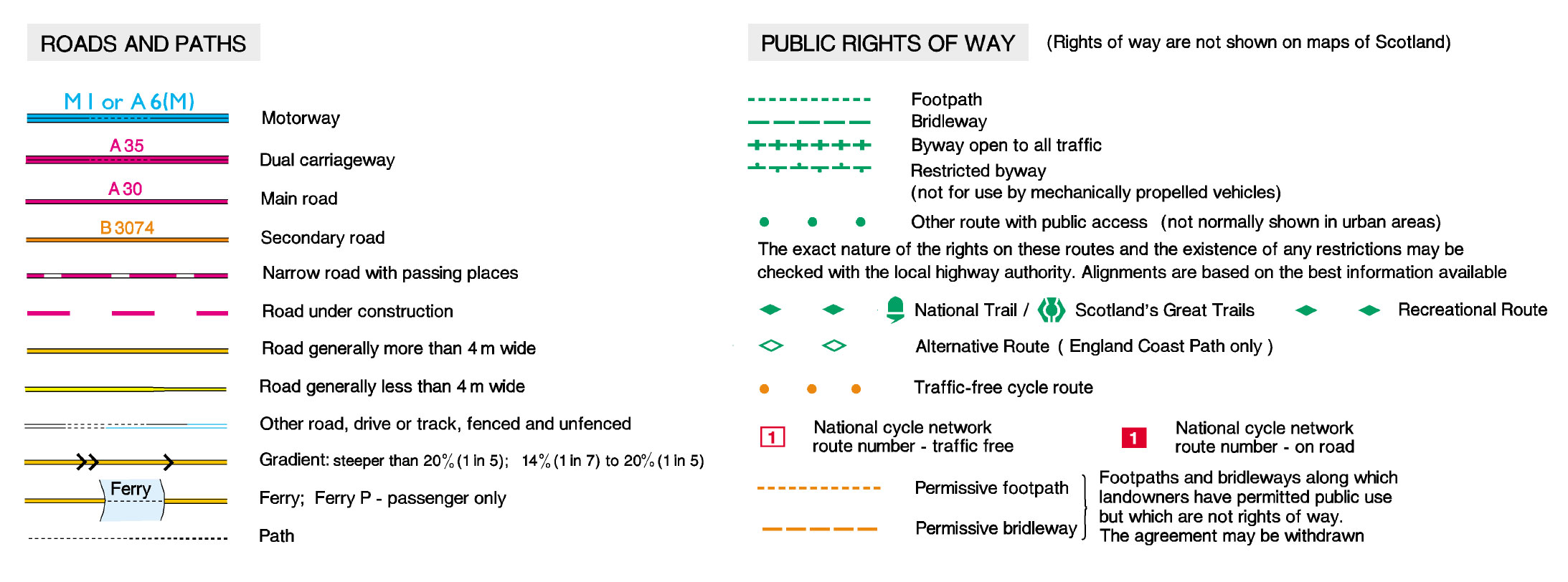
Before finalising your route, make sure the paths you’re planning to use are accessible and suitable for your walk.
For a detailed explanation, read our guide to Public Rights of Way: Understanding Your Access.
How to plot your walk with OS Maps
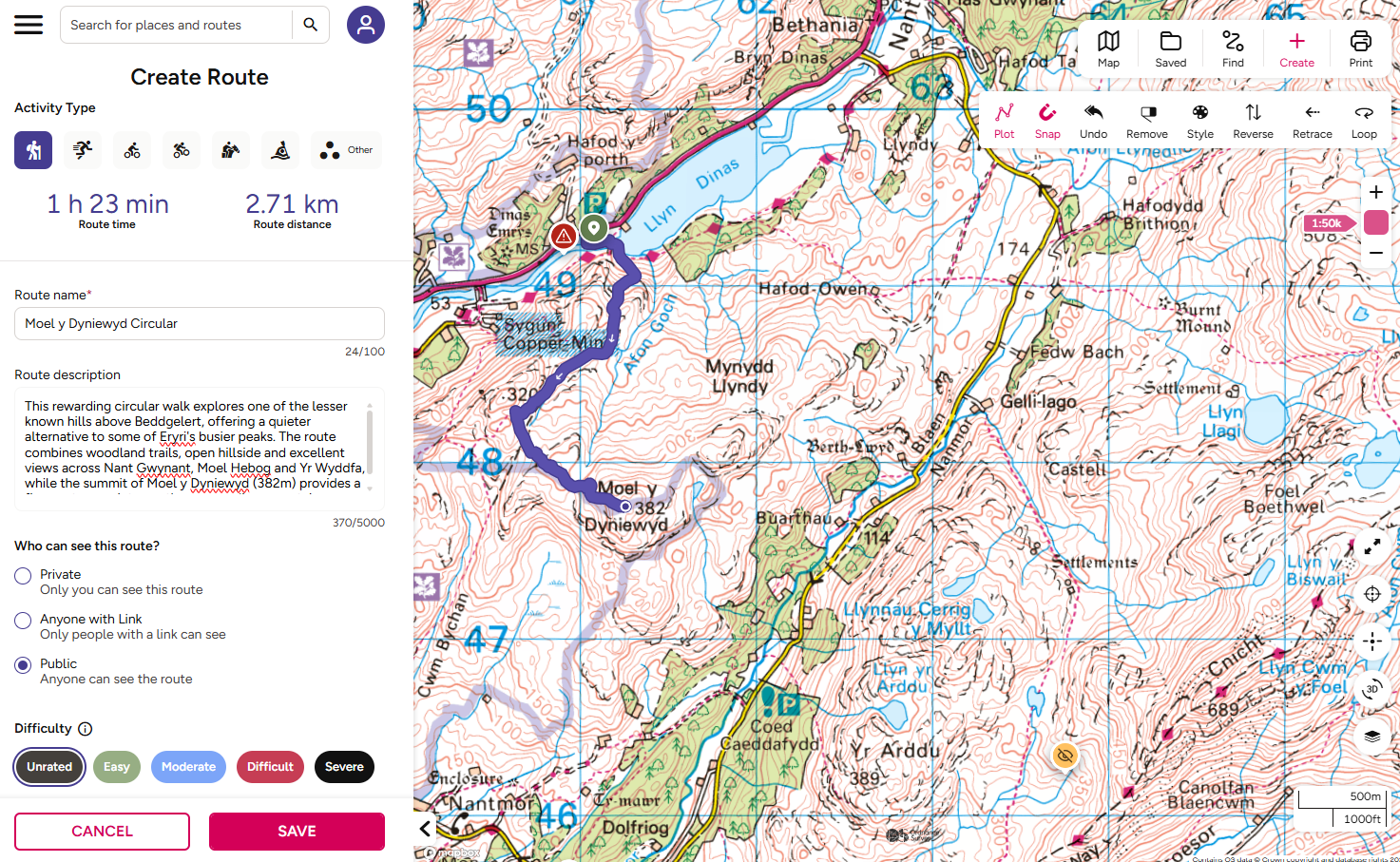
Once you have an idea of where you want to walk, use OS Maps to plot and save your route.
Step-by-step instructions for creating a route in OS Maps
- Find your starting point
– Open OS Maps on the web or in the app and search for the place where you want to begin.
- Create a route
Select Create Route and choose Walking as your activity.
- Plot your walk
Click or tap the map to add your starting point, then continue adding points along your intended route. Use Undo or move the points if you need to adjust it.
- Choose how to plot it
If available with your subscription, use Snap-to-path to follow mapped roads, paths and trails. You can also use Loop to suggest a return route or Retrace to follow the same route back.
- Review your route
Check the distance, estimated walking time and elevation profile. Adjust the route if it does not match the walk you have planned.
- Save it
Give your route a clear descriptive name and save it to your account. If your subscription allows, download it to the app for offline use before you set off.
Remember: Check the plotted line carefully. Suggested routes may not reflect current access, path conditions or temporary closures.
When planning a walking route, look beyond simply getting from A to B. The best walks combine practical route choices with interesting scenery and features.
For beginners, waymarked routes such as Britain’s National Trails can be a great place to start. These established routes are often easier to follow and provide confidence while developing route-planning skills.
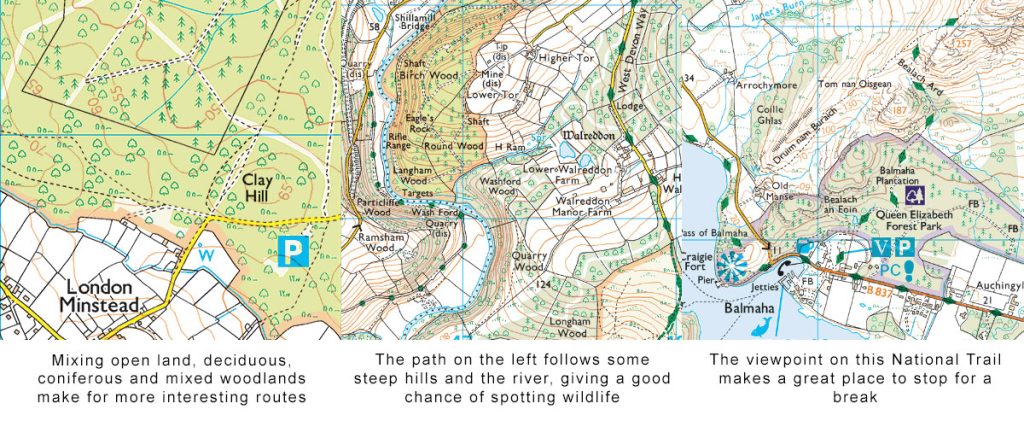
Join paths together to create a better route
When plotting a route, don’t be afraid to combine different types of paths and terrain.
Many excellent walks use a mixture of footpaths, bridleways, quiet country lanes, parks, woodland tracks and traffic-free cycle routes. In some areas, a short section on a quiet B-road or C-road can help connect two attractive path networks and create a more interesting circular walk.
As you draw your route, keep an eye on the total distance and elevation. If you’re using OS Maps, the route-planning tools will automatically calculate these for you as you build the route. If you’re planning on a paper map, you can estimate distance using a ruler, piece of string or map measurer.
Top Tip!
When planning walking routes include varied terrain wherever possible. It keeps the routes interesting if you can mix woodlands, inland and coastal/waterway paths. If you are looking for a good view, keep an eye out for the viewpoint maker on the map.
Review your route before setting off
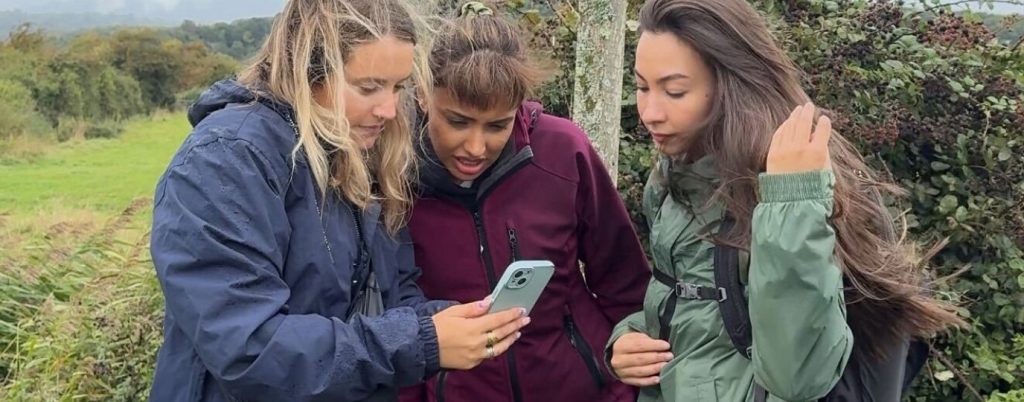
Before moving on to safety checks, take a final look at the complete route.
Ask yourself:
- Is the distance realistic for everyone in the group?
- Does the estimated time fit the available daylight?
- Are there any particularly steep or challenging sections?
- Have you checked access along the whole route?
- Have you included suitable stopping points?
Small adjustments at this stage can make a big difference to the enjoyment of the walk.
Check conditions and hazards
Once you have plotted your route, look for anything that could make the walk more difficult or unsafe. Check the weather forecast shortly before you set off, as conditions can affect paths, visibility and the time your walk takes.
OS Maps hazard reports may highlight problems reported by other users, but conditions can change quickly. Always use your own judgement and follow local signs and restrictions.
Weather
Check the forecast for the area you will be walking in, not just the nearest town. Conditions can be colder, wetter and windier on exposed or higher ground.
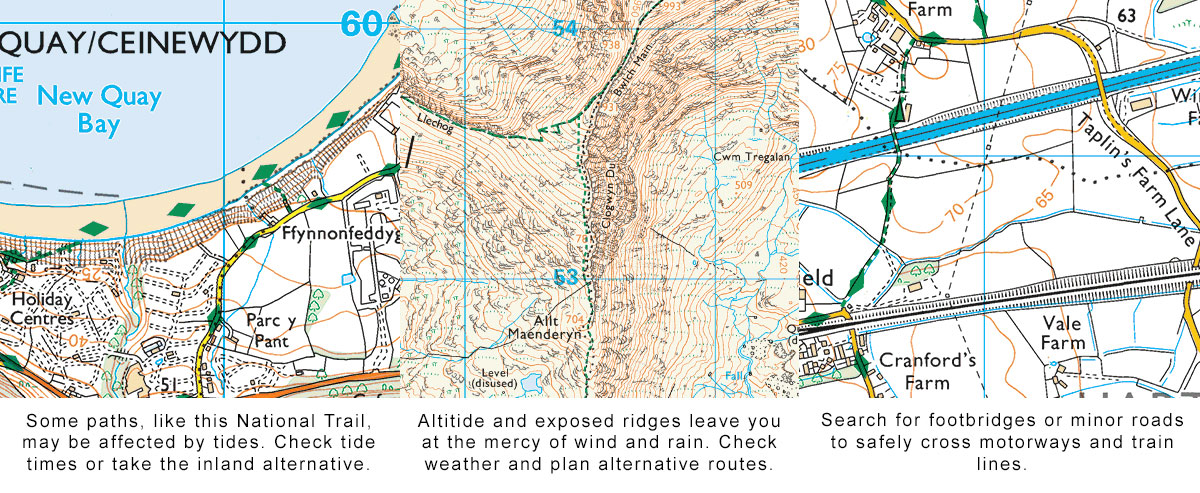
Rain can make paths muddy, slippery or impassable. Streams may also rise quickly during or after persistent rain. If your route crosses water, look for a marked footbridge and have an alternative route available.
For walks on hills or mountains, use a specialist mountain forecast as well as the general forecast.
Roads and railway lines
Look closely at every road and railway crossing on your route. Avoid walking beside or crossing fast roads unless there is a recognised footpath or safe crossing point. Never walk on a motorway. Public footpaths that cross motorways should use a bridge or underpass.
At railway crossings, follow all instructions and warning signs. Stop, look and listen before crossing, and never assume that you will hear an approaching train.
Coastal routes
Check tide times when planning a coastal walk. Beaches, causeways and sections of coastal path may become inaccessible at high tide, potentially leaving you cut off.
Allow plenty of time to complete tidal sections and identify a safe alternative route. Keep away from cliff edges, which may be unstable, particularly after heavy rain.
Steep or exposed ground
Contour lines help you understand the shape of the land. Closely spaced contour lines indicate a steep slope, while wider spacing generally indicates gentler ground.
Check whether the route includes long climbs, steep descents or exposed sections. Consider whether everyone in your group can manage them, especially in poor weather.
Remember that climbing and rough ground will slow you down and use more energy than walking the same distance on a level path.
Daylight
Check the local sunrise and sunset times, particularly during autumn and winter. Allow extra time for rest stops, route-finding and slower sections.
Plan to finish comfortably before dark unless you have the equipment and navigation skills needed for night walking. Carry a torch even if you expect to return during daylight.
Plan alternatives
For longer, more remote or exposed walks, identify places where you could shorten the route or return to safety.
A useful alternative should avoid difficult terrain and lead towards a road, building or other accessible place. As you reach each decision point, consider your progress, the weather and how everyone in the group is coping.
Turn back or use the shorter route if conditions deteriorate, someone is struggling or the walk is taking longer than expected.
Pack for the walk
What you take will depend on the route, weather and season. For most walks, consider carrying:
- suitable footwear
- water and food
- warm layers
- a waterproof jacket
- a charged mobile phone
- a torch
- a small first-aid kit
- a paper map and compass where appropriate
For longer walks, consider carrying additional food and water, a portable power bank and emergency shelter.
A phone or GPS device is useful, but batteries can run out and devices can be damaged or lose signal. Download your route before leaving mobile coverage and carry a paper map that shows the surrounding area, not just a narrow extract of the route.
Specialist mountain and winter conditions require additional skills and equipment. If your route involves snow, ice or remote high ground, use appropriate specialist guidance and choose a route that matches your experience.
Make your final checks
Before setting off:
- check the latest weather forecast
- check tide times if the route is coastal
- look for access restrictions or reported hazards
- download your route for offline use
- charge your phone and any navigation devices
- check that you have the clothing, food and water you need
- share your route and expected return time with someone
You can share a saved OS Maps route with family or friends or export it as a GPX file for a compatible GPS device.
If there is an emergency, call 999 or 112. In a mountain emergency, ask for the police and then Mountain Rescue. Be prepared to provide your location using a grid reference, latitude and longitude, or location-sharing tools.
Get walking
Planning your own route can help you discover new places and choose a walk that suits your ability, interests and available time.
Once you have completed your checks, you are ready to get outside. Keep an eye on conditions during the walk and be prepared to change your plans or turn back if necessary.
Frequently asked questions
Choose a suitable starting point, distance and type of terrain. Use a detailed map to check public rights of way, climbs, crossings and potential hazards. Plot the route, estimate how long it will take and identify places where you could shorten it if necessary.
Consider the distance, estimated time, total ascent and type of terrain, as well as your fitness and navigation experience. Allow extra time for steep climbs, rough ground, rest stops and poor weather. If you are walking with other people, plan for the least experienced member of the group.
A typical walking speed on level ground is around 4 to 5 km/h, but hills, rough ground, weather, navigation and rest stops can add considerable time. Use the OS Maps route’s estimated duration as a starting point and allow extra time for the conditions and your group.
Yes. Plot your starting point and use the route-planning tools to create your own circular walk. Where available, the Loop function can suggest a return route, but you should check the suggested line against mapped paths, access information and current conditions before using it.
Not necessarily. A path or track shown on a map is not always a public right of way. Check the map key and local access information, follow signs on the ground and respect temporary closures or restrictions.
Saved mapping and routes can be downloaded in advance for offline use, subject to your device and subscription. Complete the download while you have a reliable internet connection and check that the route opens before setting off. GPS can usually show your position without a mobile signal, but you should not rely on a phone as your only means of navigation.
A route-planning app is a useful navigation aid, but it should not be your only source of information. Check access, weather and local conditions separately. Download the route for offline use and carry a paper map and compass when walking in remote or unfamiliar areas.
A useful walking route planner should provide detailed mapping, show public rights of way and terrain, and allow you to save or download your route. OS Maps combines Ordnance Survey mapping with tools for plotting, saving, sharing and following walking routes.
If you’re planning your first adventure hiking in the mountains and hills of the UK then read our Hiking For Beginners Guide which has some additional info related to walking on high ground.
By OS Maps Discover Team
The OS Maps Discover content team creates and reviews practical, inspiring guides to walking, cycling, navigation and exploring the outdoors. Led by Editor Hilary Pullen, the team works with Ordnance Survey colleagues, outdoor experts and experienced contributors to ensure content is clear, useful and accurate. Have an outdoor story, expert advice or a route you would like to share? Find out how to submit an article idea and become a featured OS author.