Retford Gamston Airport – OS Wallpaper Download May 2026
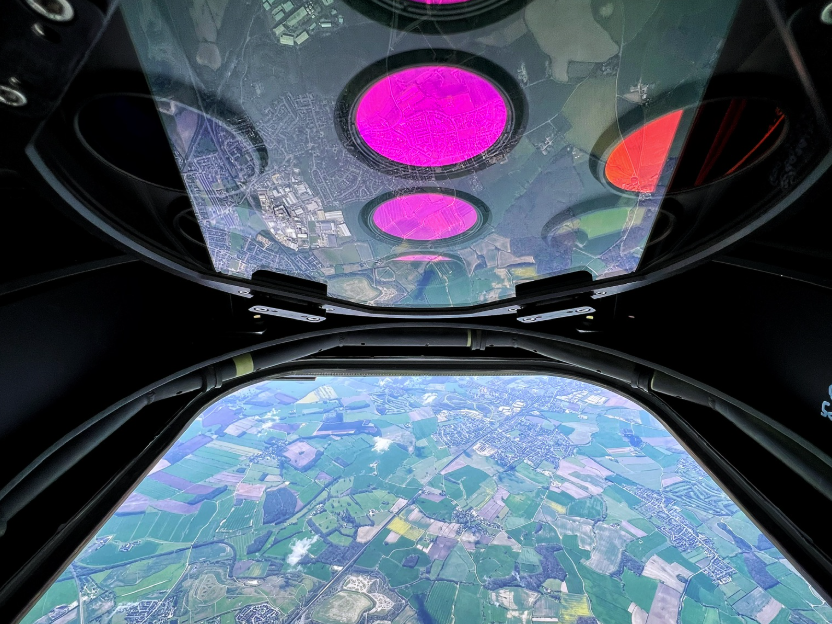
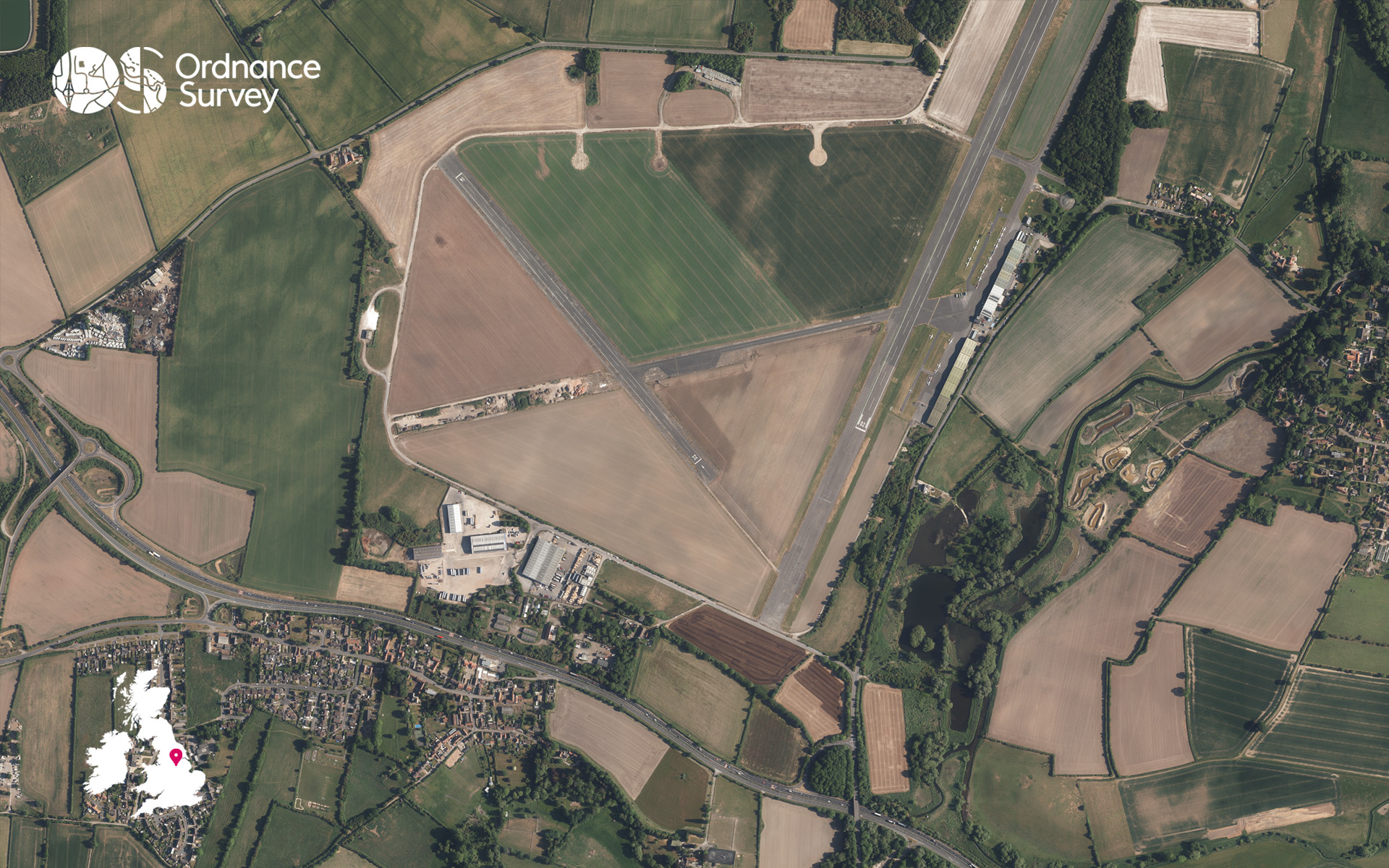
For this month’s wallpaper, as we celebrate the 60th anniversary of our flying team this year, we visit their home of Retford Gamston Airport in Nottinghamshire.
Since its founding in 1791, the Ordnance Survey has been dedicated to mapping Great Britain with precision, but a true leap came when it took surveying to the skies.
During World War I, aerial imagery gave surveyors a vital new perspective on constantly shifting battlefields, proving far more efficient than ground-based methods. After the war, this bird’s-eye approach became indispensable, leading OS to invest in its own equipment and expertise rather than relying on the RAF. This eventually led to the creation of the Ordnance Survey Flying Unit in 1966, giving mapping a permanent airborne advantage.
Today, operating from Gamston Airport from March to November every year, the 6-person flying unit uses advanced aircraft and high-resolution cameras to capture over 80,000 km² of imagery each year. Combined with thousands of daily updates, this aerial data powers everything from detailed maps to 3D models, ensuring Britain’s landscape is recorded quickly and accurately with a little help from above.

EXPLORE THE
OS Shop
We are with you every step of the way. Shop our trusted walking and hiking maps and guidebooks so you can explore the outdoors with confidence.
Go to the shopContribute to Discover!
We’re hoping to bring many more contributors to Discover from our own OS Champions but also any of our fans who have interesting routes, pictures and stories of their adventures to share. If you’re interested in writing for us or sharing an adventure with a OS Maps Route then please read this guide – write for Discover.
If you have an image you think we could for the next OS Wallpaper join our Facebook Group and share it with us! Just tell us where the image was taken and when.
Free Download: Desktop & Mobile OS Wallpaper Background
2560 x 1440 (also for 2048 x 1152 | 1920 x 1080 | 1600 x 900 | 1536 x 864 | 1366 x 768 |1280 x 720, plus Teams and Zoom)
1920 x 1200 (also for 1680 x 1050 | 1440 x 900 | 1280 x 800)
1366 x 768
1024 x 768 (also for iPad)
1536 x 768: For most mobile and tablet devices. For Android devices more of the image shows as you swipe between screens.
Using the downloaded wallpaper image
To save the image on a computer, right-click (or alt-click) and select ‘save target as’ or the equivalent for your browser. If you are not sure of the screen size, use the largest one.
- For most computers, right click the desktop and select ‘set wallpaper’ to change the wallpaper image.
- For iOS devices, select the image, press and hold on the image to ‘save image’, then go to Photos > Share > Set as Wallpaper.
- On Android devices, select the image, long press to ‘download image’ and then go to Wallpapers > My photos and select the image.
Did you know?
On Windows PCs you can save multiple wallpaper images to a single folder, and have your desktop background automatically change regularly by selecting that folder as the source.
You can also browse all the previous wallpapers.